How to Create a Reporting Schedule

Jun 17, 2026
 30
30
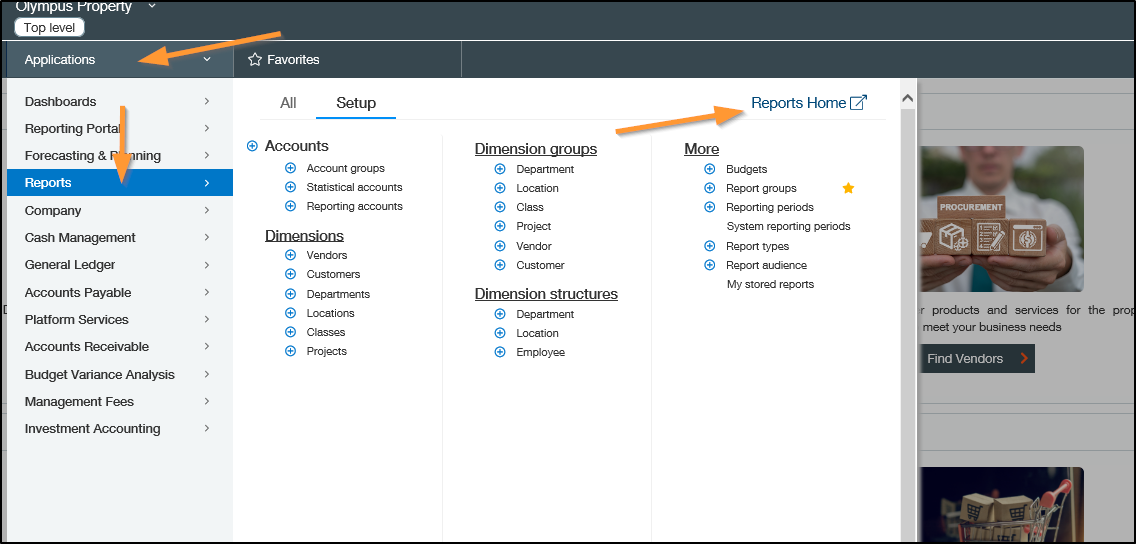
Go to Applications > Reports > Reports Home
Click on Scheduled

Click Edit for another property schedule - this example I used The Residences at Escaya

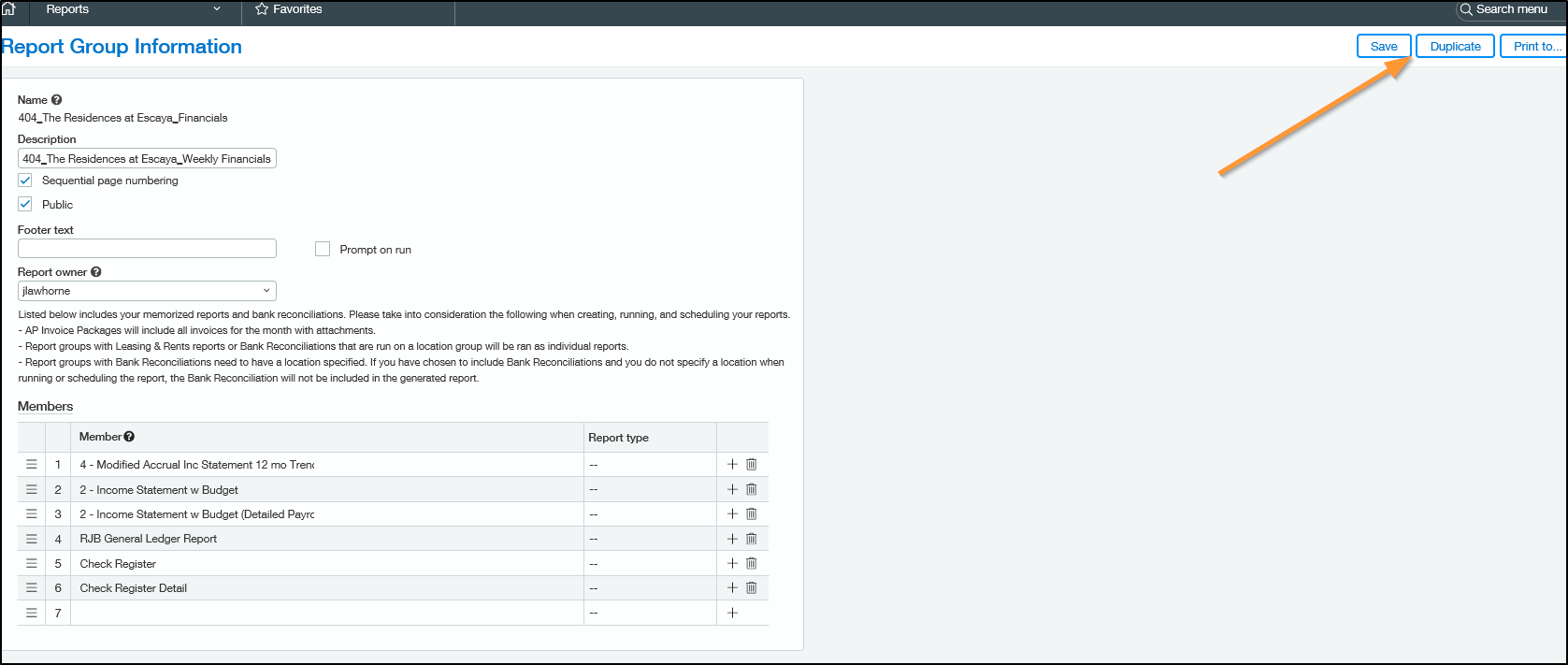
Click Duplicate
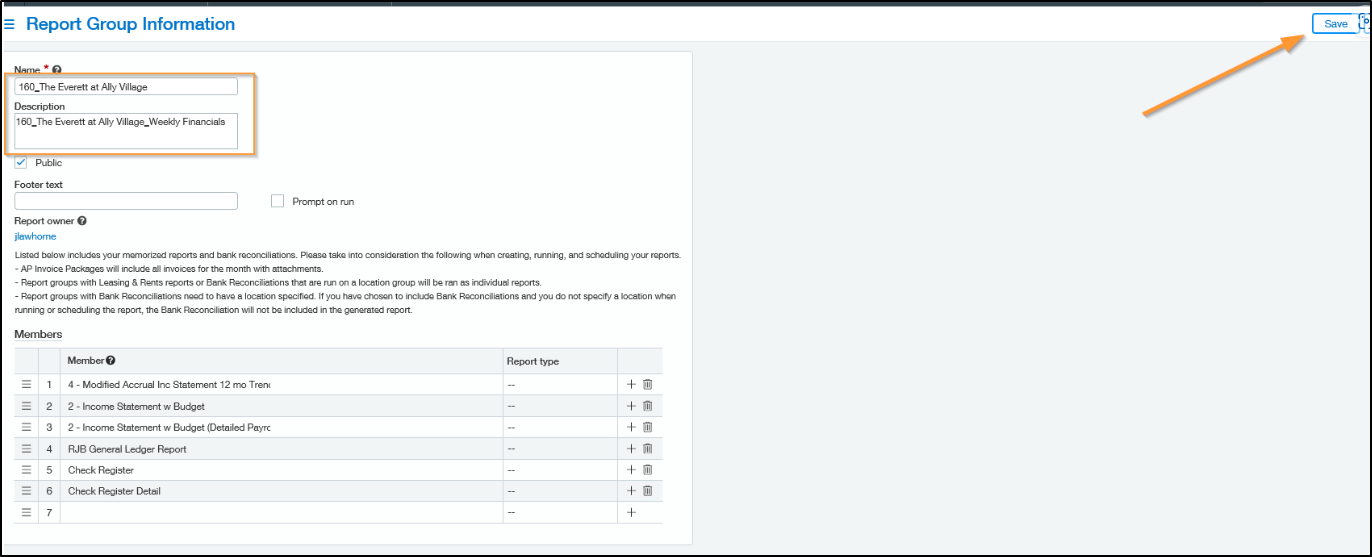
Update the Name & Description
Name: Property Number_Property Name
Description: Property Number_Property Name_Weekly Financials
Save
Go to the Report Click More Actions > Edit Schedule
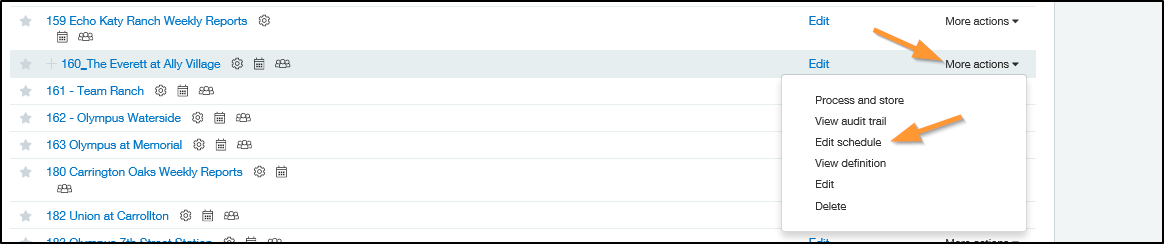
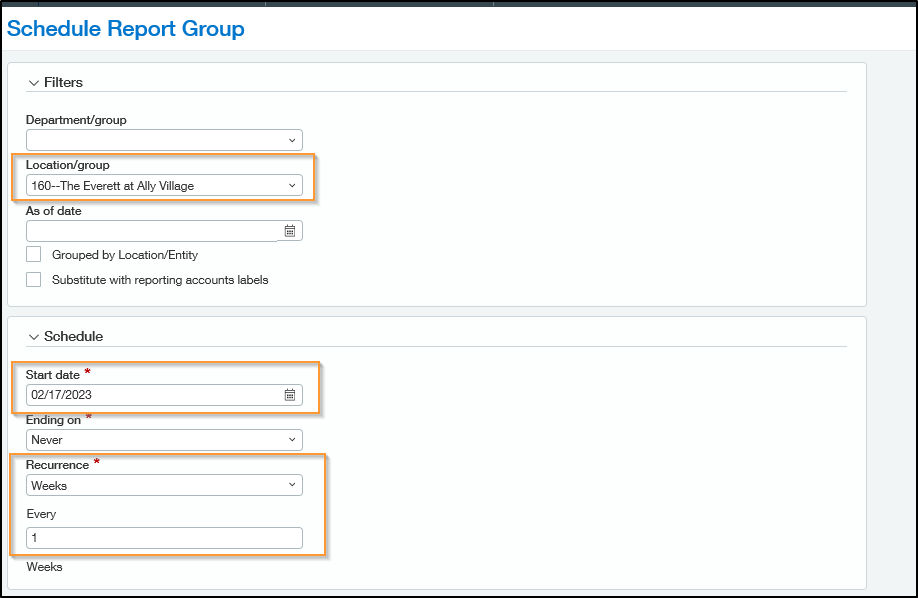
Choose the Location
Start Date *The following Friday
Recurrence: Weeks
Every: 1
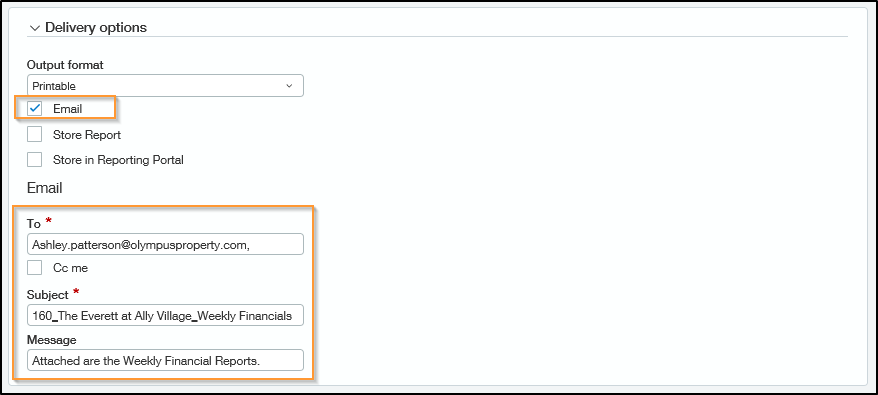
Delivery Options
Check the Email Box
Email to: Business Manager, Regional Manager, VP of Operations for the Region, Regional Maintenance Tech, Jarvis, Lisa Clark, and Julia.
Subject: Property Number_Property Name_Weekly Financials
Message: Attached are the Weekly Financial Reports.
Save