


Yardi - Attaching an Amenity to a Unit

May 12, 2026
 39
39
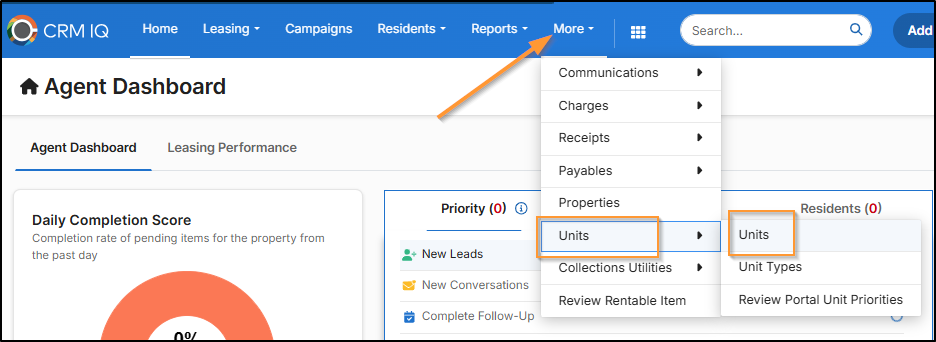
Go to Community Manager > More > Units > Units
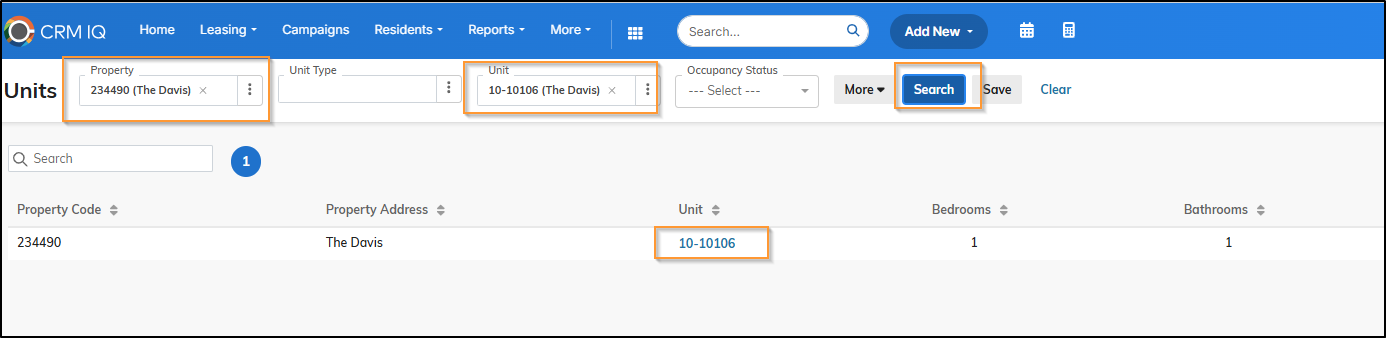
Enter the Property/Unit details > Click Search > Click on the Unit #
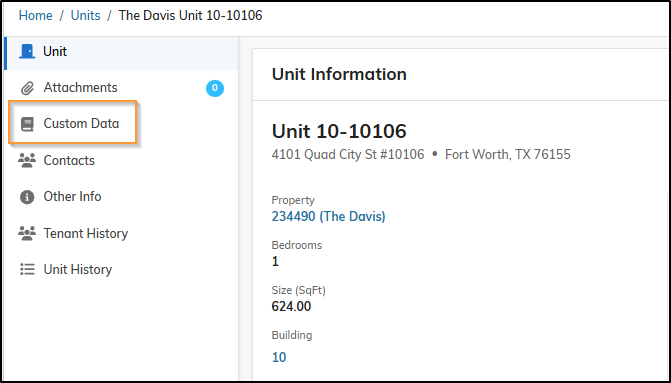
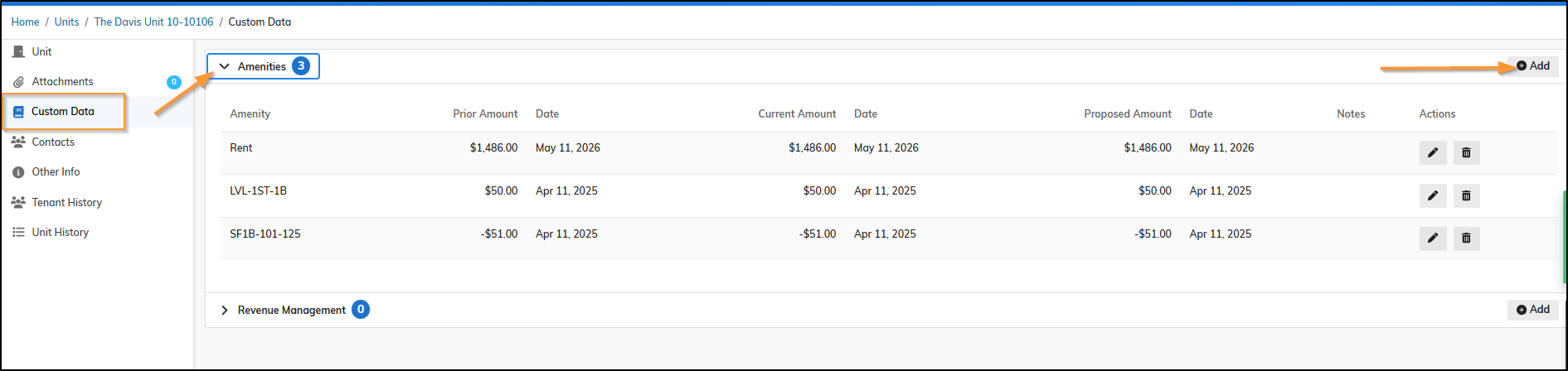
Click Custom Data
Click Custom Data > Expand Amenities > Click Add
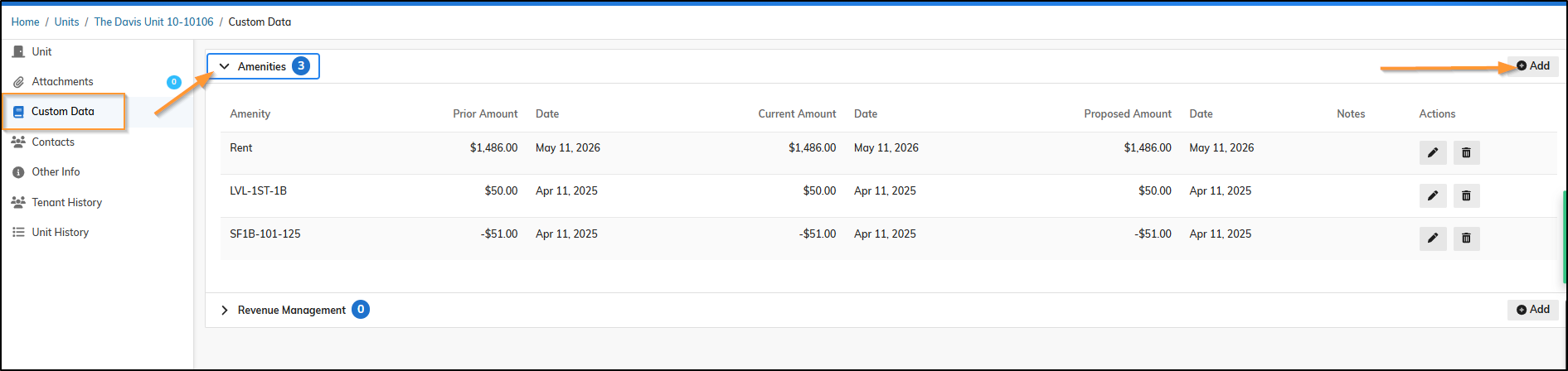
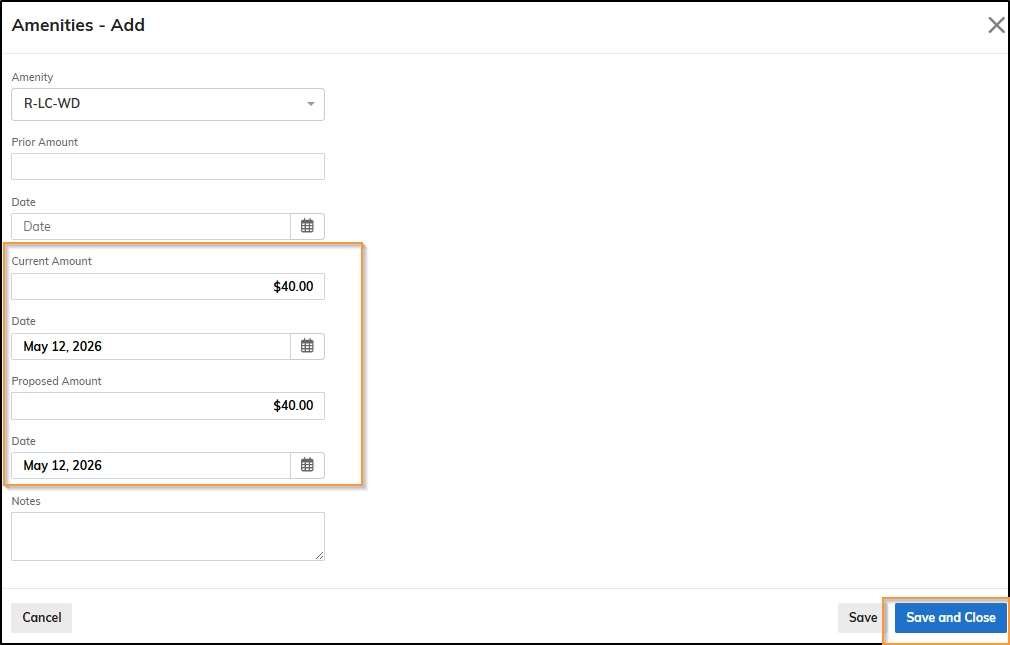
Look up the Amenity > Enter Current Amount / Date & Proposed Amount / Date *Usually the same > Click Save and Close
Lookup the Amenity > Enter the Current Amount / Date and Proposed Amount / Date > Click Save and Close
Here is the link to the LivCor Olympus Amenity Name Initiative Template 08.02.22_JL.xlsx

