Yardi - Add a Unit back on the Unit Turn Dashboard

May 06, 2026
 71
71
You've marked a unit as ready but realize it was either done inadvertently or you determined there is more work that needs to be done.
Access: Lead Maintenance, Business Manager, and above.
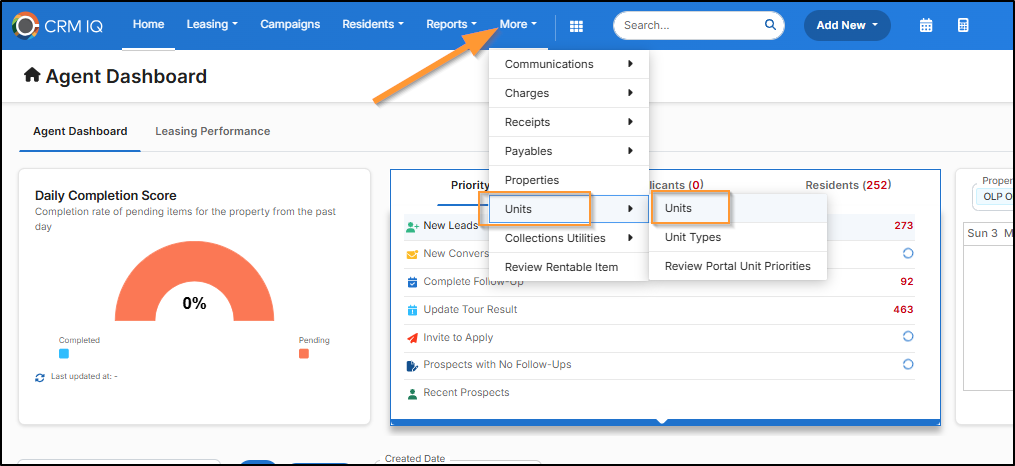
You can go to Community Manager > More > Units > Units
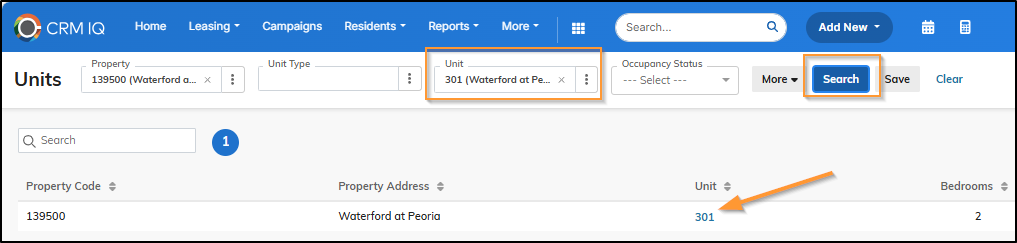
Find the Unit > Search > Click on the Unit #
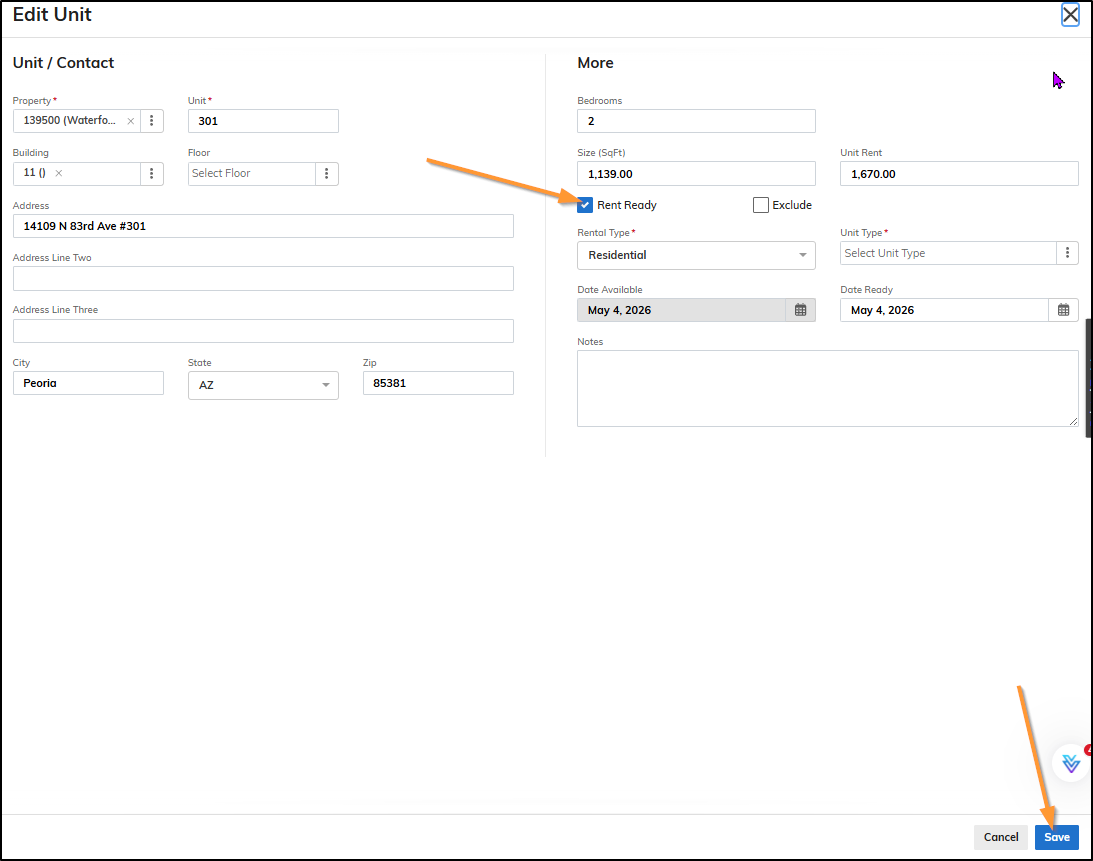
Click the edit pencil
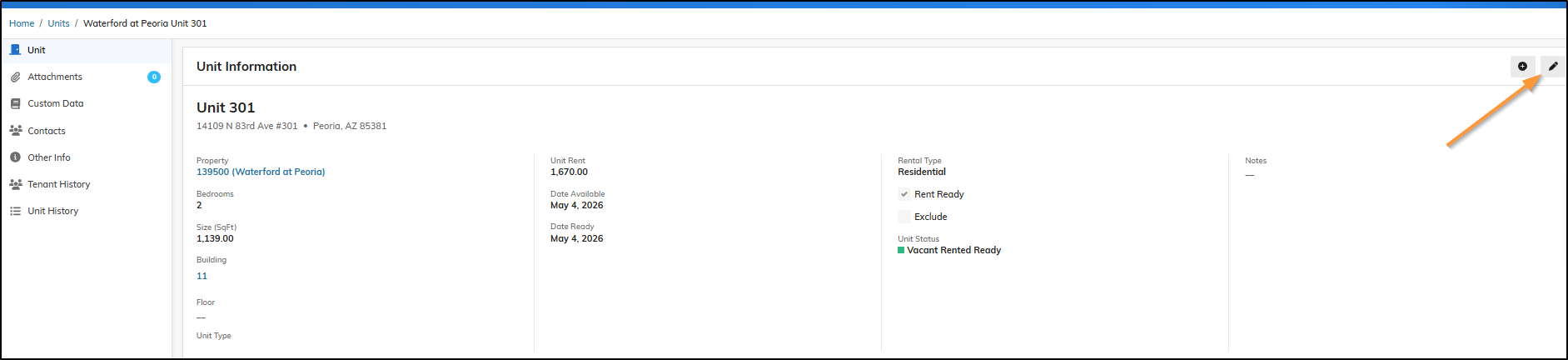
Uncheck the box for 'Rent Ready' > Save
Now when you go back to your Maintenance IQ > Unit Turn Dashboard, the unit is available for you to Start the Make Ready.
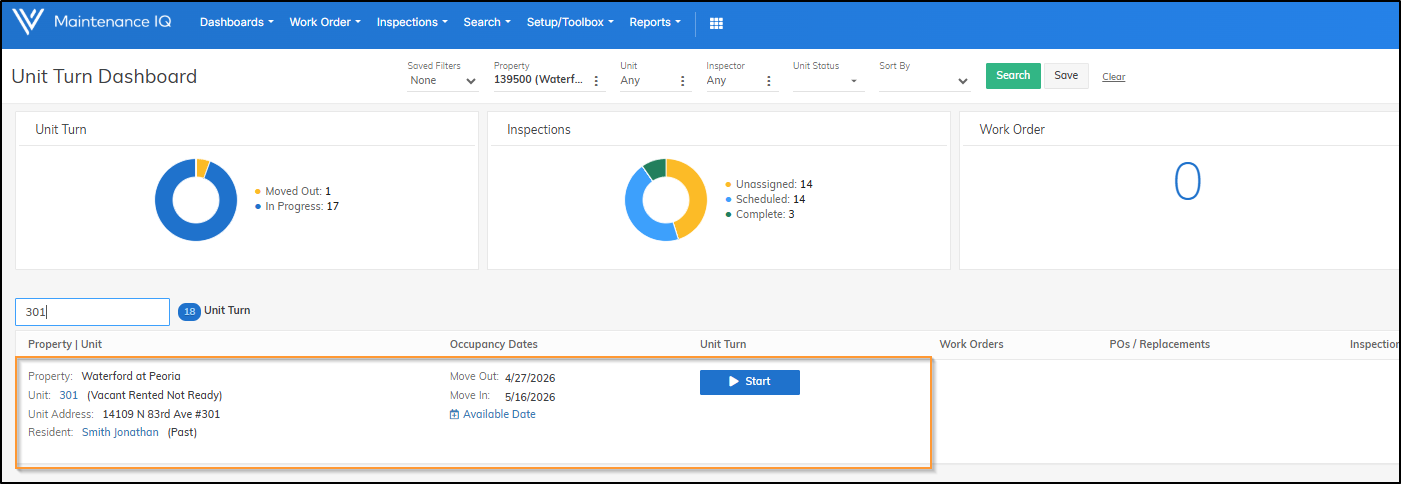
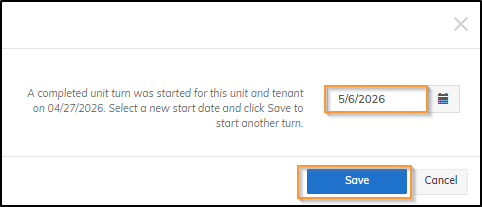
Once you click the Start > Enter the Make Ready Start Date > Save