


Yardi - Sending Renewal Offer Letters via Email

May 05, 2026
 71
71
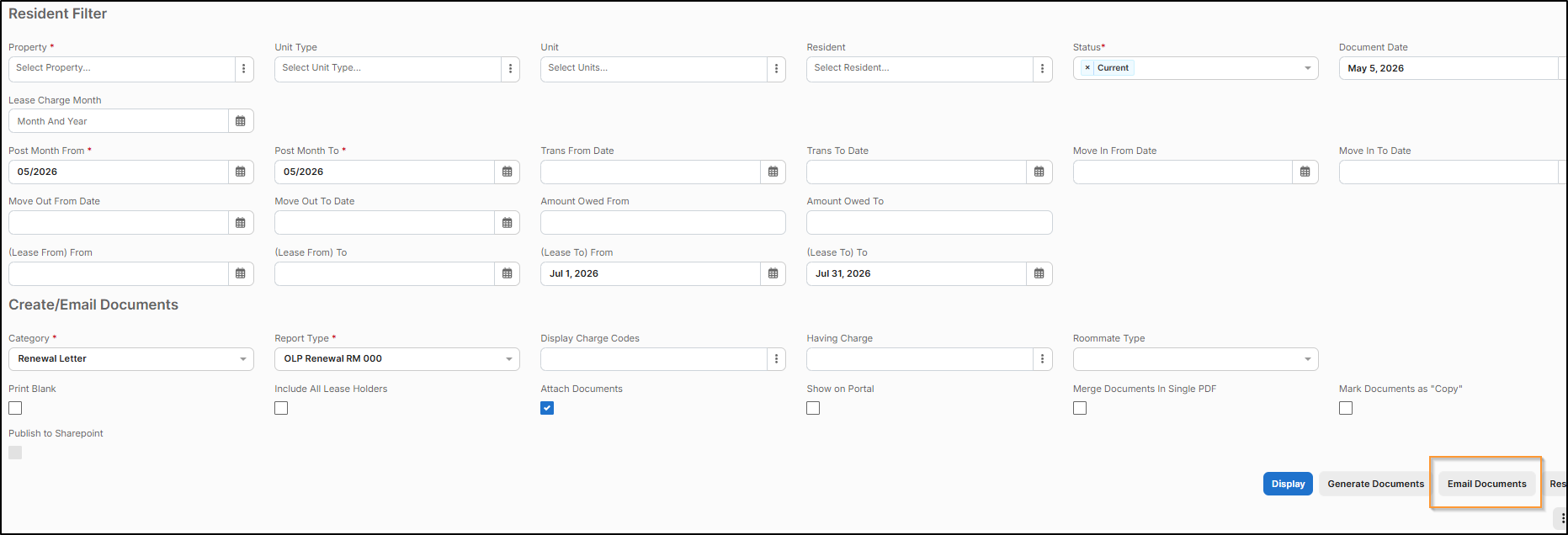
You may have noticed an Email Documents option, but have never used this because the button is 'Greyed Out' like this:

The trick is that you'll need to generate the renewal offer letters first > Choose Attach Documents > Generate Documents
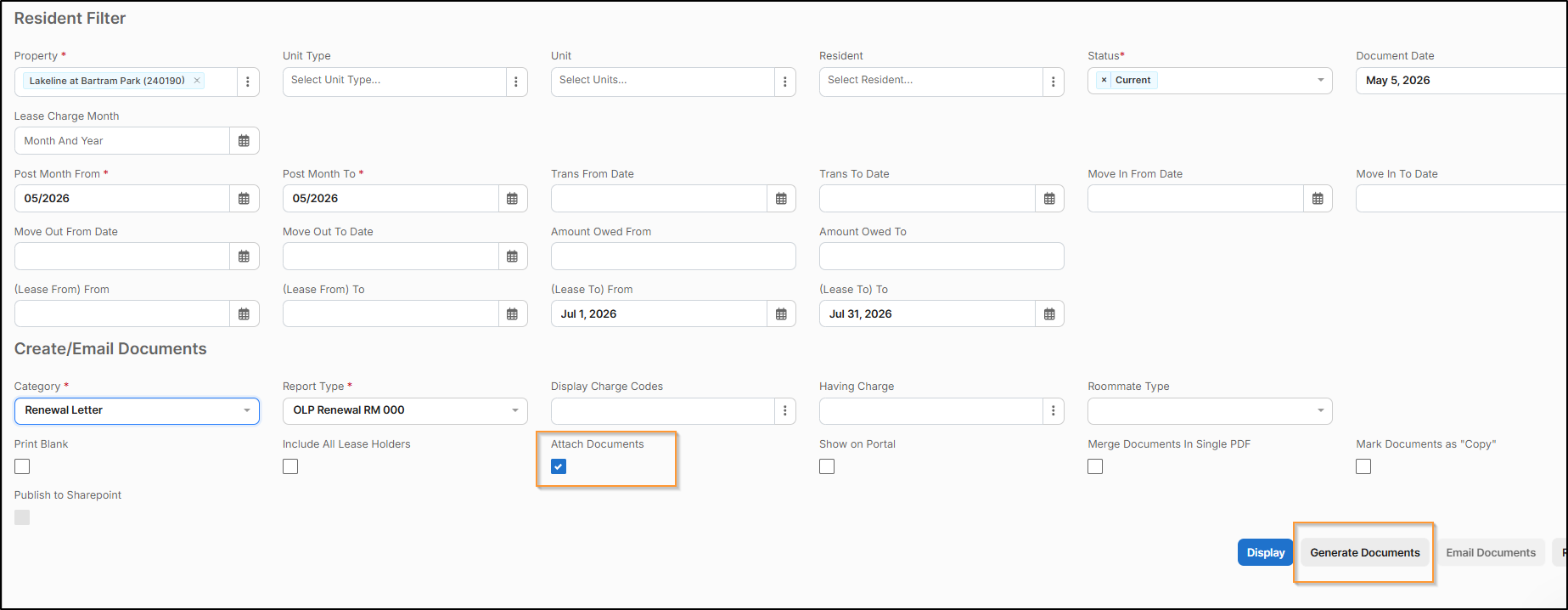
Once they are generated > Click the Filter icon  > Now the Email Documents option is available
Note: If you generate your renewal offers and under the Letters column it says "No Letters to print" like below:
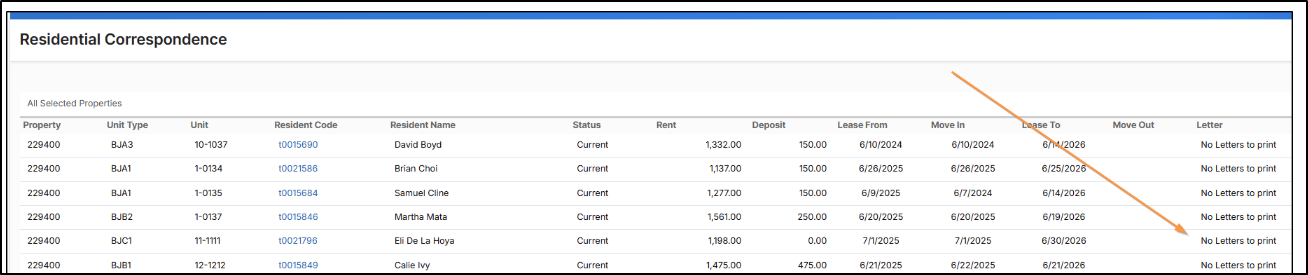
This means the renewal offers haven’t been approved yet and will need to be approved before you can generate the renewal letters

